

Is it ready to launch? Now you know.
The skill opens every page like a careful first visitor and a search engine would, on desktop and on the phone. It finds what the last week of a project always leaves behind and answers in one line: not ready, ready after fixes, or ready to launch.
npx skills add c0le0ni/skills --skill coleoni-launch
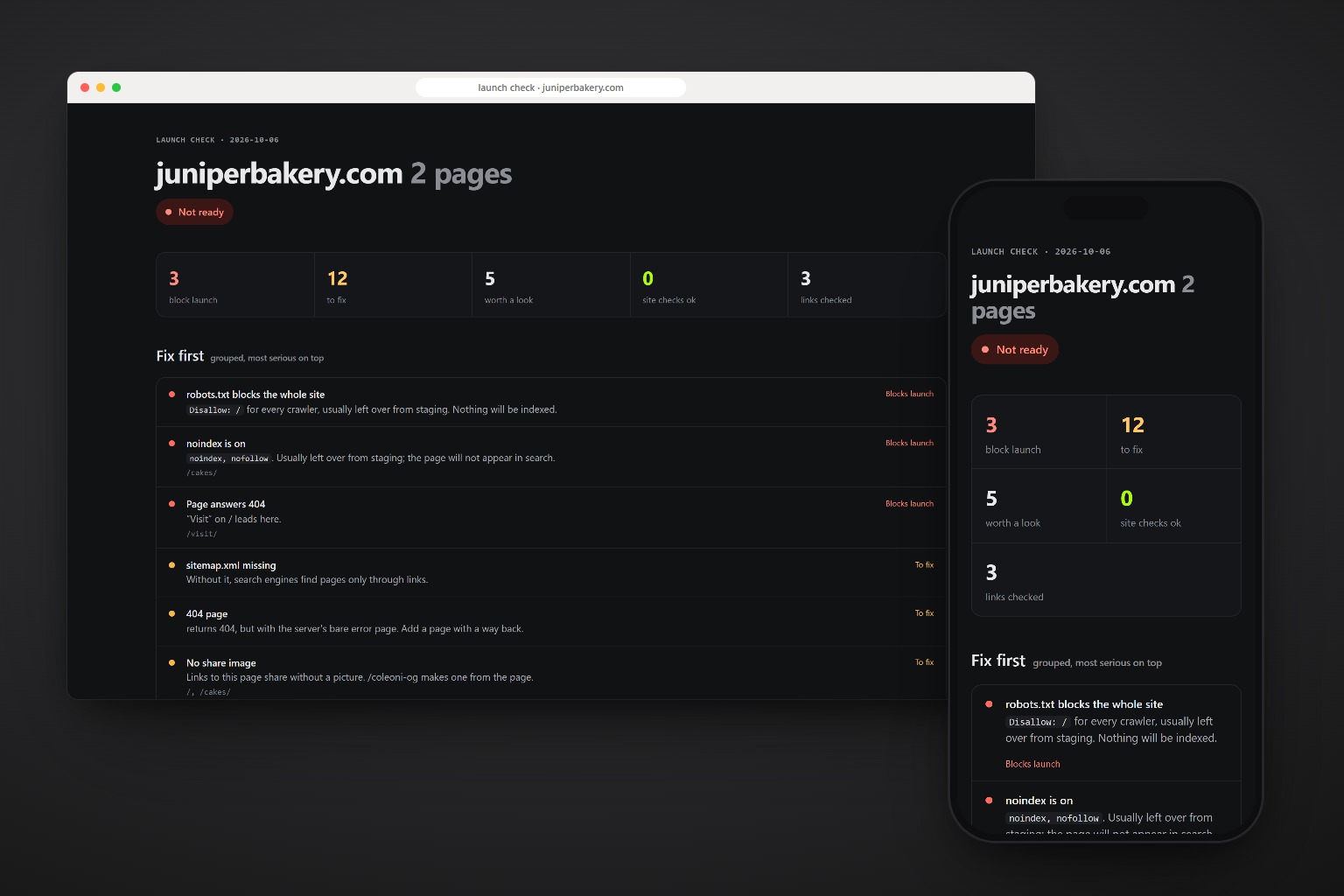
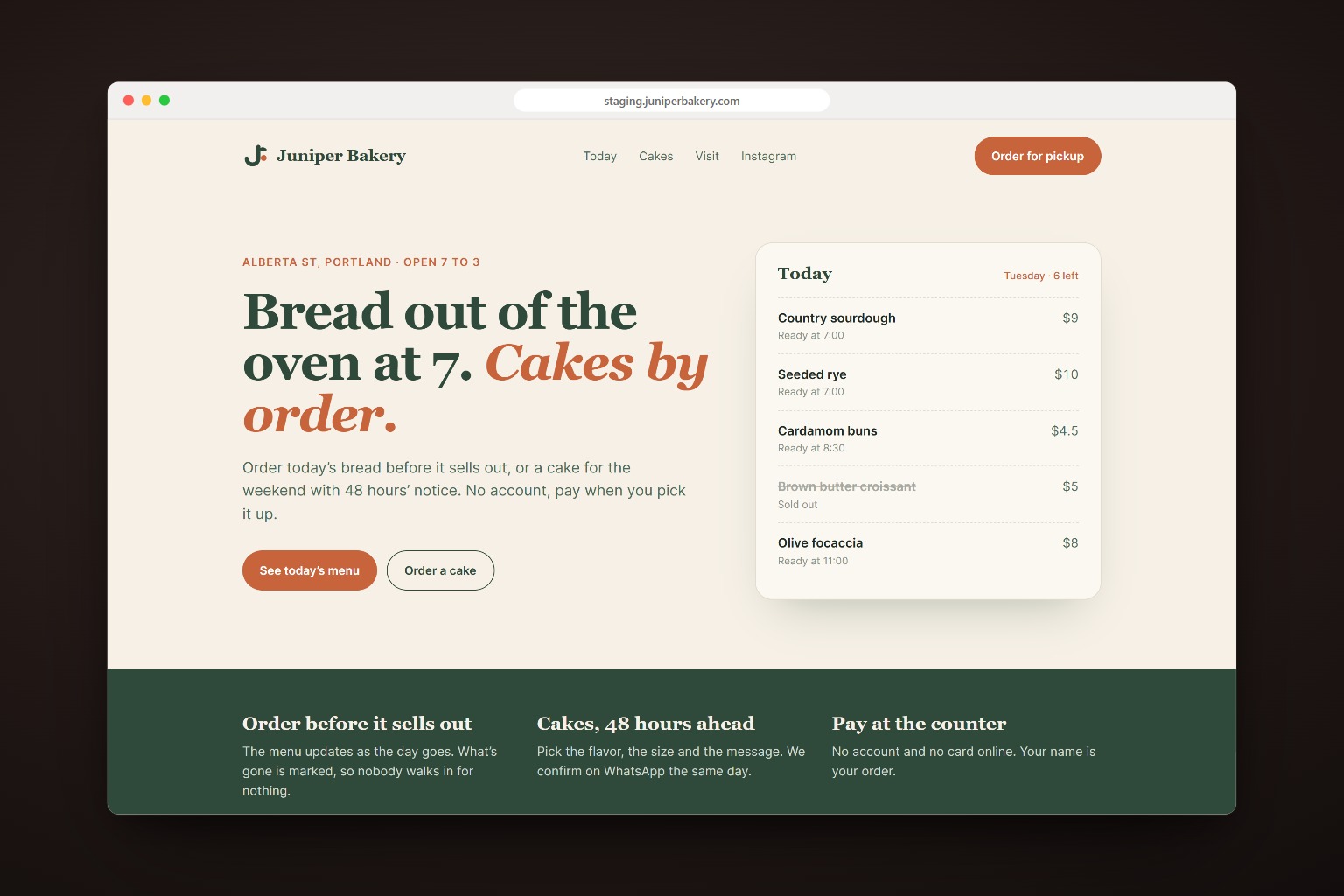
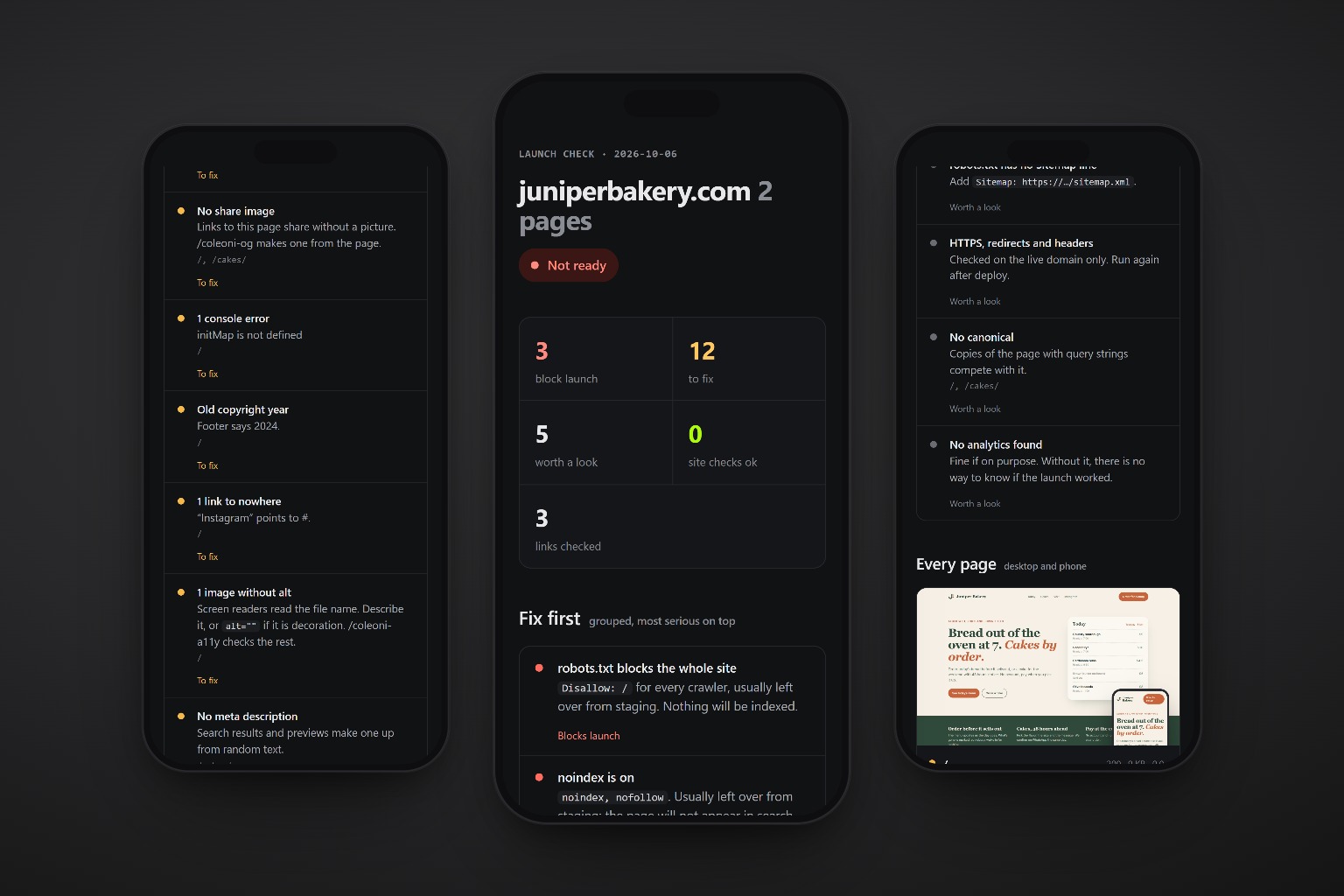
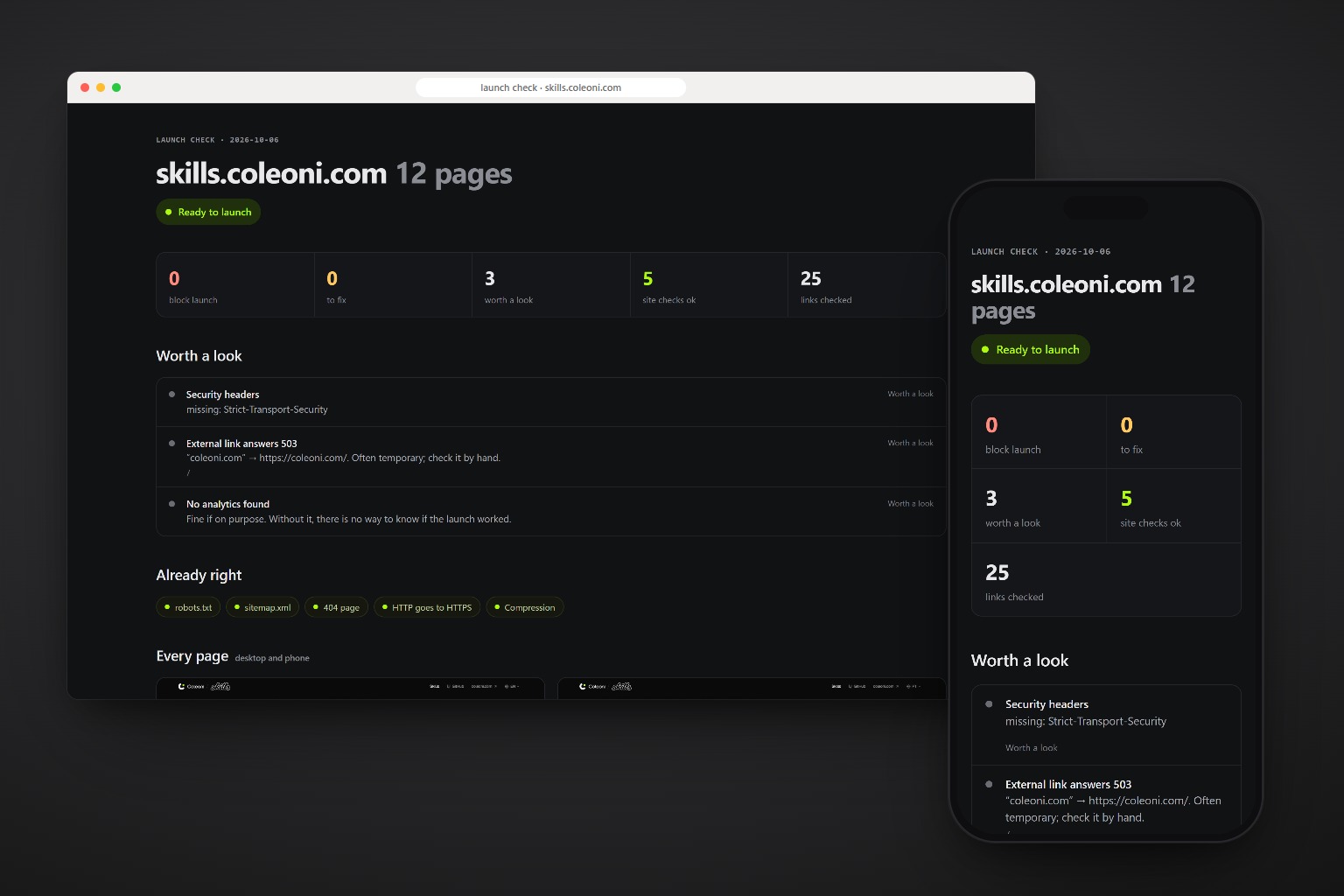
It looked done. It had three blockers.
The bakery from /coleoni-briefing, on staging, the week of launch. Everything on screen worked. The report found what nobody saw.
staging.juniperbakery.com

"It looks done. Can we launch Friday?"

  2 pages      home, cakes
  menu         today's bread and prices
  buttons      order, see the menu
  robots.txt   from the template
  footer       from the first mockup
  nav          Today, Cakes, Visit, Instagram

$ /coleoni-launch staging.juniperbakery.com
What a careful visitor sees, and what a robot sees.
A site can look finished and still be hidden from search, link to pages that do not exist, or scroll sideways on every phone. The skill looks at both sides.
-
Finds every page
The sitemap first; without one, every link from the home page. Live sites, staging, dev servers or a build folder it serves itself.
-
Hunts staging leftovers
noindex,Disallow: /,Lorem ipsum, links to#, last year in the footer. -
Breaks nothing quietly
Pages and links that 404, scripts and styles that fail, console errors, mixed content, broken images.
-
Checks the server
HTTPS, the http and www redirects, the 404 page, robots.txt, the sitemap, compression and security headers.
-
Shows every page
Desktop and phone screenshots in the report, so a broken layout shows next to the list.
-
Fixes, if you ask
In the source, the framework’s way. Copy, prices and contacts are never invented: it asks.
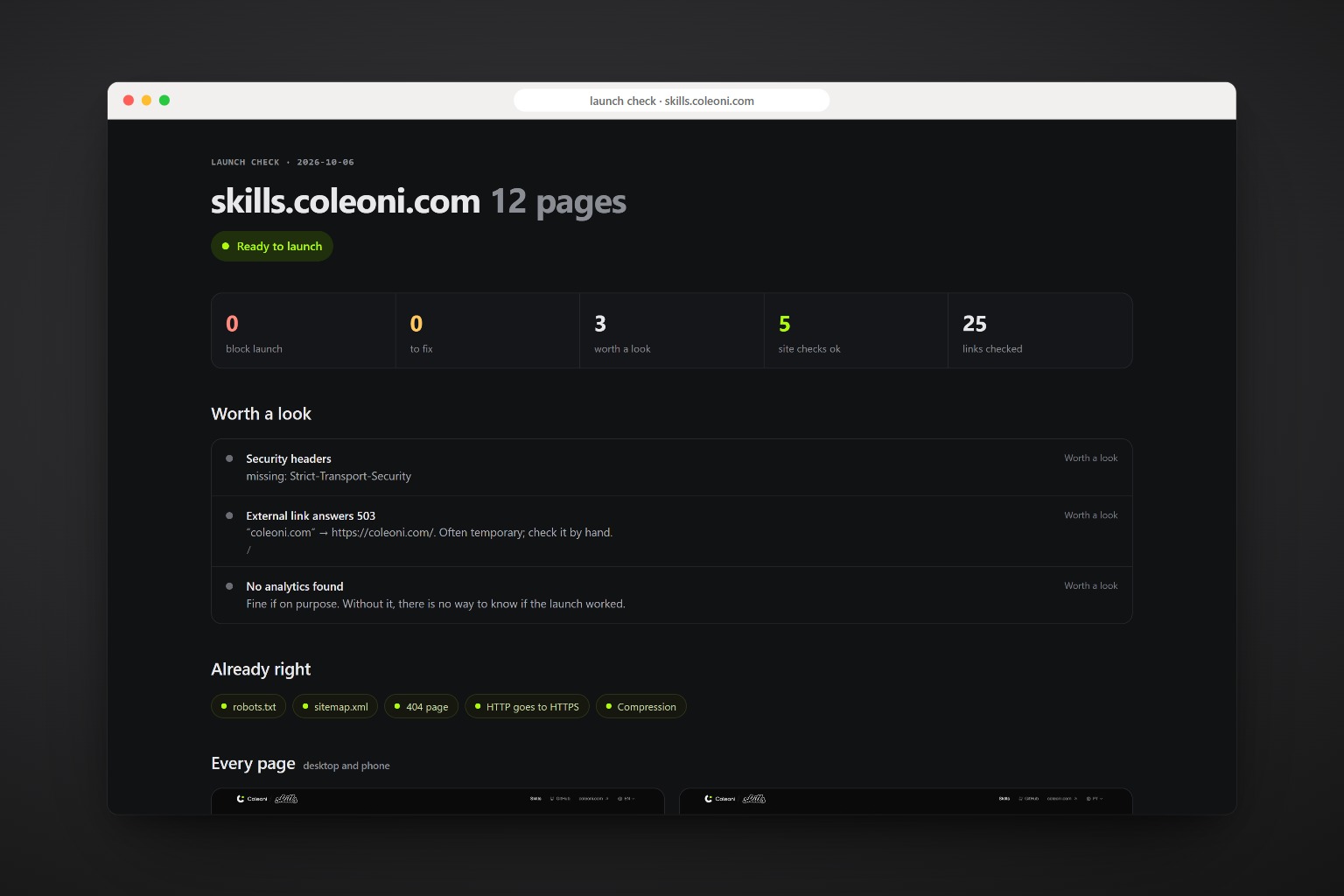
Three levels, one verdict.
Any blocker means not ready. Fixes mean ready after fixes. Only “worth a look” left means ready to launch.
| Level | What it catches |
|---|---|
| Blocks launch | Site hidden from search, pages or links that 404, failing scripts or styles, no HTTPS, no viewport |
| To fix | Console errors, mixed content, placeholders, missing titles, descriptions and share images, sideways scroll, heavy images, missing sitemap or 404 page, soft 404s, duplicate titles, old copyright year |
| Worth a look | Missing canonical, long titles, external links down, a few security headers, analytics found or missing |
One command, any agent.
The only package is playwright-core, installed by the agent on first use. It drives the Chrome or Edge you already have.
npx skills add c0le0ni/skills --skill coleoni-launch
/coleoni-launch https://yoursite.com
-g-a claude-code-a codexnpx skills add c0le0ni/skillsBefore launch, and right after.
Run it on staging to find the blockers, then on the real domain to check HTTPS, redirects and headers.
Check the live site.
/coleoni-launch https://yoursite.com
Check a build before deploy, and fix it.
/coleoni-launch ./dist, domain yoursite.com, fix what you can
A bigger site, without external links.
/coleoni-launch staging.yoursite.com --pages 60 --no-external
The engine, from the terminal.
scripts/launch.mjs runs on its own too: node launch.mjs https://yoursite.com --out launch-report.
| Option | What it does |
|---|---|
<url | folder> | A live URL, a dev server, or a build folder served on a temporary port |
--pages 20 | Most pages to check |
--domain site.com | Production domain, for local builds and staging |
--sitemap <url> | A sitemap other than /sitemap.xml |
--no-external | Skip links to other sites |
--hide "sel,sel" | Keep cookie banners and chat bubbles out of the screenshots |

Launch on Friday without the Monday surprises.
npx skills add c0le0ni/skills --skill coleoni-launch