

Three real versions. Pick one.
Choosing between descriptions is guessing. The skill designs three genuinely different directions for a component, with the project’s own fonts and colors, applies each one to the live page, and lays them out next to the current version on desktop and phone. You choose 1, 2, 3 or a mix; it builds that one.
npx skills add c0le0ni/skills --skill coleoni-variants
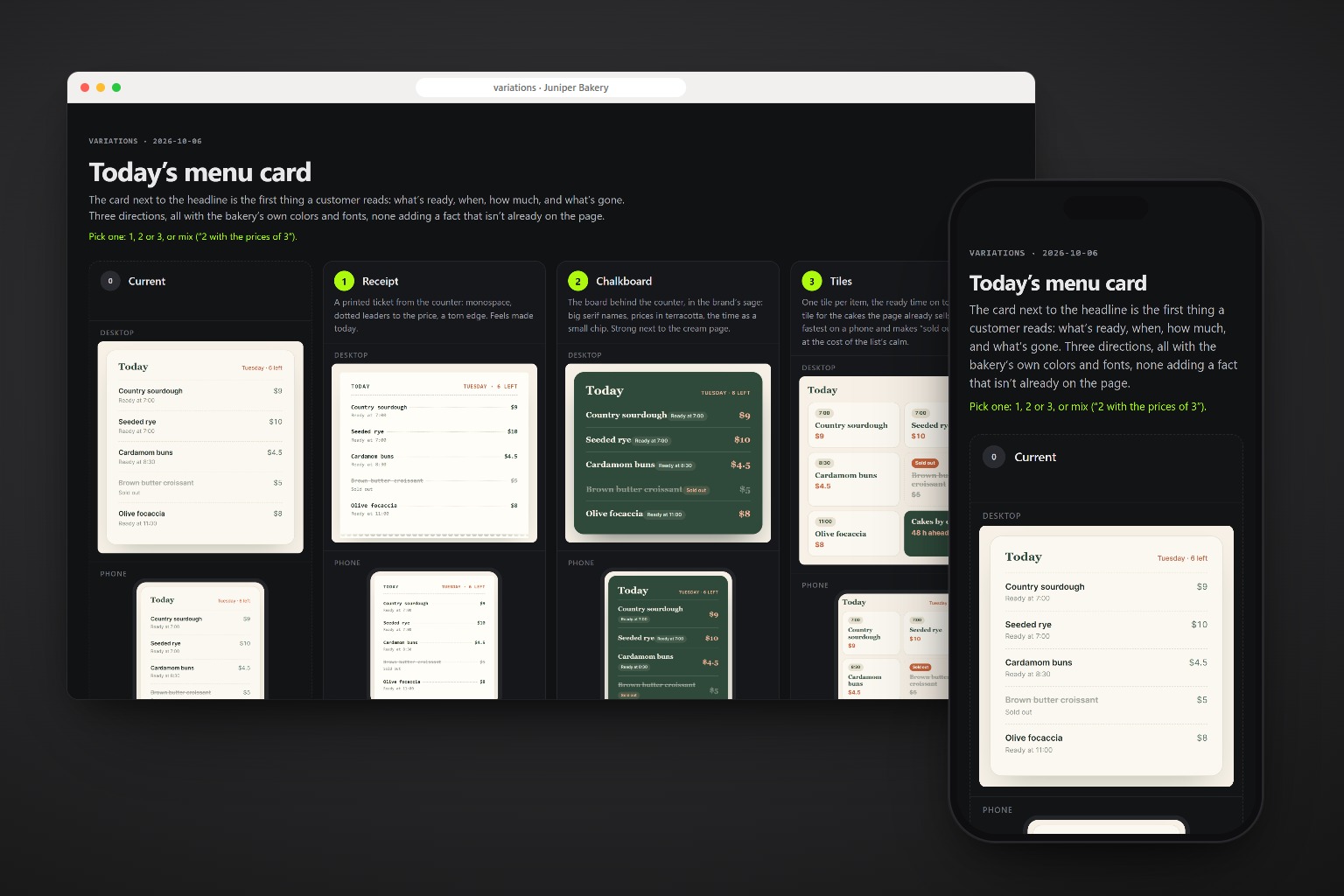
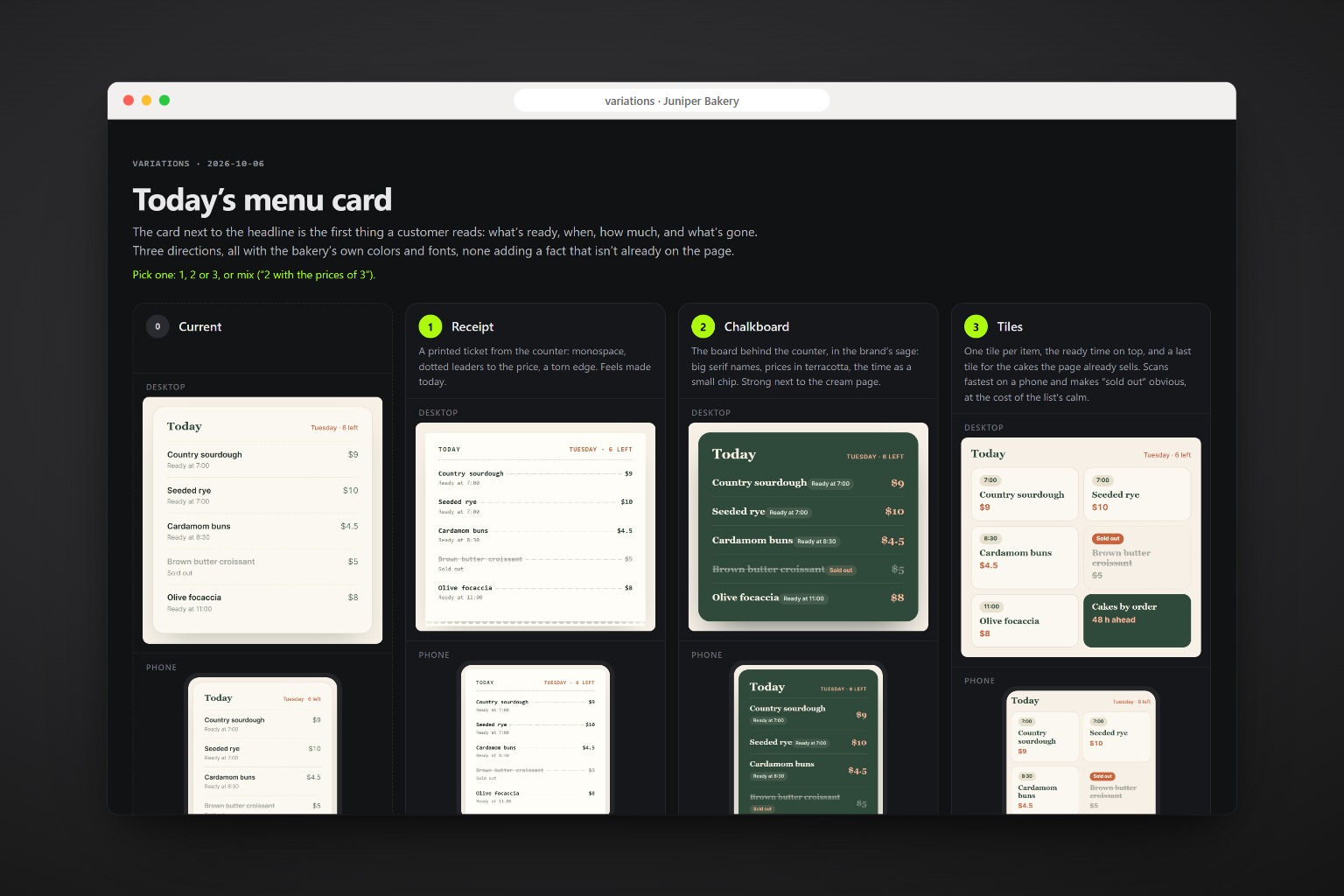
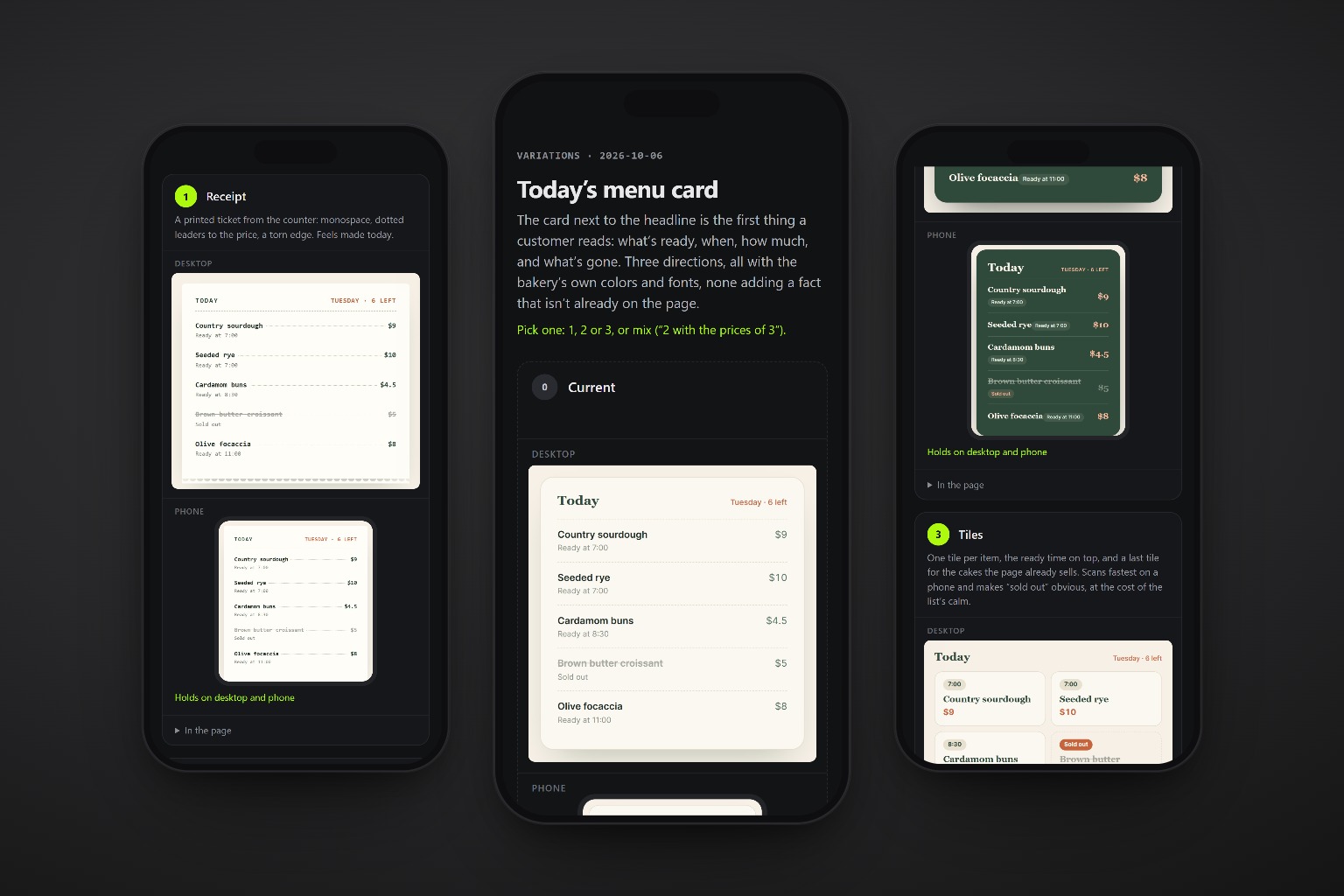
Receipt, chalkboard or tiles?
The card next to the bakery’s headline: what’s ready, when, how much, what’s gone. Three positions, all in the brand’s colors and fonts, none adding a fact that isn’t on the page.
{
  "title": "Today's menu card",
  "brief": "What's ready, when, how much,
            and what's gone. First.",
  "variants": [
    { "name": "Receipt",
      "note": "A printed ticket..." },
    { "name": "Chalkboard",
      "note": "The board behind..." },
    { "name": "Tiles",
      "note": "One tile per item..." }
  ]
}
Brief, three positions, the real page.
Each variation takes a clear position and says what it gives up. The board puts them in the page, where the decision actually happens.
-
Reads the component
Its markup, its CSS, the tokens it uses, and the project’s design rules.
-
Writes the brief
What the component is for and what the reader must get first. The variations compete on that.
-
Designs three directions
Quiet, branded, dense, or what fits the component. Same content, the project’s tokens.
-
Applies them live
Each one injected into the real page, with the real fonts, colors and neighbors.
-
Lays out the board
Current and the three, on desktop and a 390px phone, checked for sideways scroll and cut text.
-
Builds your pick
The way the project writes styles, with tokens, keeping headings, labels and focus.
One command, any agent.
The only package is playwright-core, installed by the agent on first use. It drives the Chrome or Edge you already have.
npx skills add c0le0ni/skills --skill coleoni-variants
/coleoni-variants the pricing table
-g-a claude-code-a codexnpx skills add c0le0ni/skillsAny component worth a second look.
Cards, heroes, pricing tables, navs, forms, empty states.
Three ways to show the plans.
/coleoni-variants the pricing table
With a constraint.
/coleoni-variants the hero, one of them without the photo
Mix two of them.
/coleoni-variants build 2 with the tiles of 3
The engine, from the terminal.
scripts/variants.mjs runs on its own too: node variants.mjs http://localhost:3000 --select ".pricing" --variants variants.json.
| Option | What it does |
|---|---|
--select ".card" | The component |
--variants file.json | Name, note, CSS and optional HTML for each variation |
--width 1280 | Desktop width; the phone is 390 |
--lang en|pt | Language of the board |

Stop describing it. Look at it.
npx skills add c0le0ni/skills --skill coleoni-variants