

Three greens nobody can tell apart. One palette that holds.
Colors drift: a green picked in the design tool, a slightly different one typed by hand, a grey that fails on the cream background. The skill finds every color the page really uses, merges the ones nobody can tell apart, fixes what people can’t read, and builds the brand an OKLCH palette for light and dark.
npx skills add c0le0ni/skills --skill coleoni-color
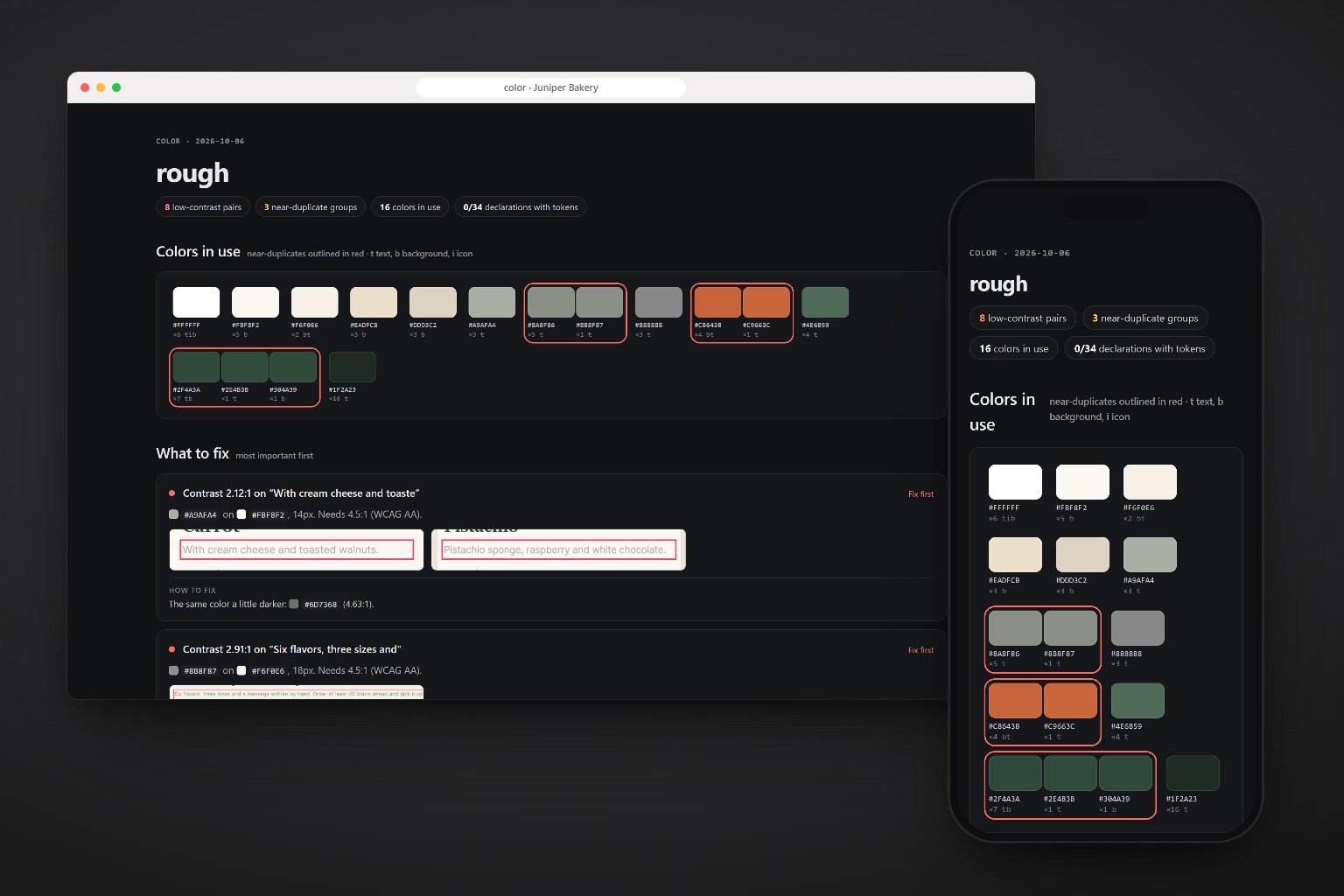
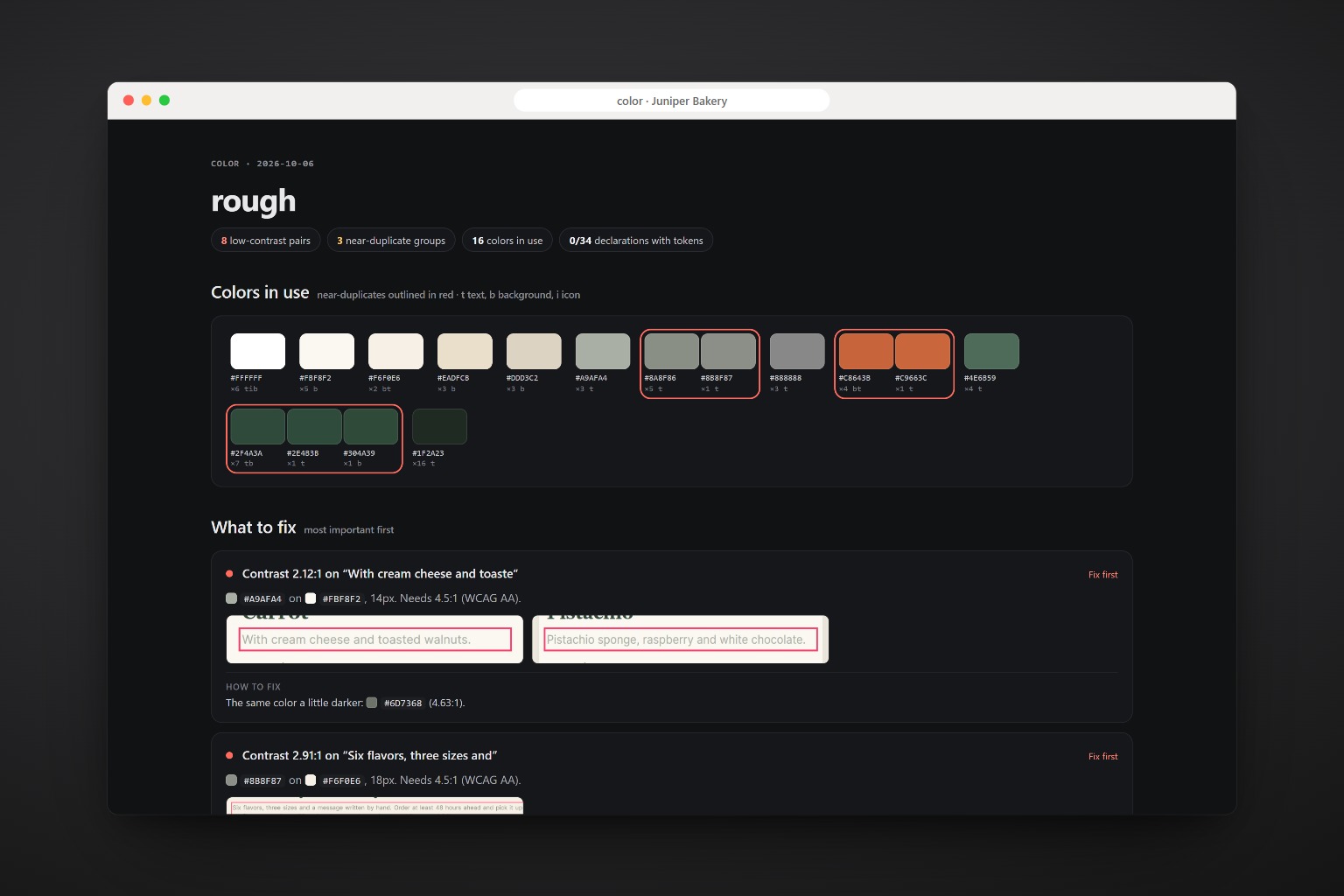
Sixteen colors, eight that people couldn’t read.
The bakery’s cake page: three greens, two terracottas and three greys that are the same to the eye, and muted text failing contrast on the cream. Each failure comes with the same hue a little darker that passes.
h1       { color: #2E4B3B }
.brand   { color: #2F4A3A }
.btn.alt { background: #304A39 }
.btn     { background: #C8643B }
.eyebrow { color: #C9663C }
.lead    { color: #8B8F87 }   /* 2.91:1 */
.card p  { color: #A9AFA4 }   /* 2.12:1 */

34 colors in the CSS, 0 tokens
What it measures.
Every text against its real background, not against white.
| Check | What counts as a problem |
|---|---|
| Contrast | Under 4.5:1 (3:1 for large text), with the closest passing shade |
| Near-duplicates | Colors closer than ΔE 0.016 in OKLab |
| Hardcoded | More than half of the color declarations without a token |
| Accents | More than 6 saturated colors |
| Dark mode | No prefers-color-scheme: dark (worth a look) |
| Palette | OKLCH scales from the brand, tinted neutrals, semantic tokens for light and dark |
One command, any agent.
The only package is playwright-core. Part of the interface family with polish, type and layout.
npx skills add c0le0ni/skills --skill coleoni-color
/coleoni-color https://yoursite.com
-g-a claude-code-a codexnpx skills add c0le0ni/skillsFrom an audit to a dark mode.
Brand colors never change silently: when one fails as text, it stays for surfaces and a darker step does the text.
Audit the colors.
/coleoni-color https://yoursite.com
A palette from the brand.
/coleoni-color --brand "#C8643B,#2F4A3A", tokens and apply
Add a dark mode.
/coleoni-color the app, add a dark mode from the tokens
The engine, from the terminal.
node color.mjs https://yoursite.com --brand "#C8643B" --out color-report
| Option | What it does |
|---|---|
--brand "#hex,#hex" | Brand colors for the palette |
--select "main" | Only one part of the page |
--lang en|pt | Language of the report |

Fewer colors, all of them readable.
npx skills add c0le0ni/skills --skill coleoni-color